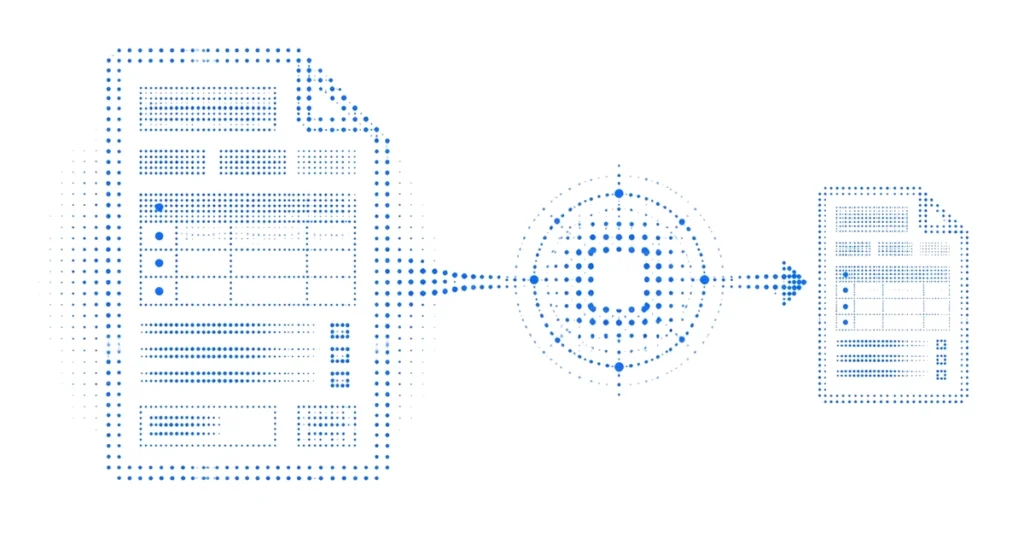
Enterprise PDFs are rarely just blocks of text. A file can look like one document to a reader while behaving like several different data structures in an AI pipeline. Text blocks, form fields, tables, annotations, page coordinates, and scanned images may travel through separate extraction paths. AI PDF processing is ready for production only when those parts remain connected without sending restricted original values through the model route.
The practical question is not whether a tool can extract text from a PDF. It is whether the workflow can protect selected fields, preserve the layout and references required for the task, and return a result that still points to the correct page, row, clause, or record.
Key takeaways
Why do enterprise PDFs break ordinary text pipelines?
PDF is a presentation format, not a promise of clean reading order. A page may contain positioned text fragments, embedded fonts, image-only scans, interactive fields, annotations, and tables whose meaning depends on spatial alignment. Two visually identical documents can expose very different structures to an extractor.
That variability matters when a workflow protects selected values. If a name is split across text runs, a number appears both in a table and a footnote, or a field value is stored separately from its label, a simple search-and-replace step can miss an occurrence or sever the relationship that gives it meaning.
Start by classifying the actual PDF population. Separate born-digital files from scans. Record whether the task depends on forms, tables, diagrams, headers, footnotes, signatures, comments, or page-level citations. Then sample the extraction output rather than inferring it from how the page looks.
Define the document task before protecting fields
The required structure depends on the reader’s job. A summary may need section hierarchy and repeated entity references. A contract extraction workflow may need clause numbers, counterparties, dates, and obligation links. A financial comparison may need row and column identity across pages. A technical review may need figure labels and cross-references.
Write the acceptance question first. For example: “Extract the termination notice period and the responsible counterparty from each agreement, cite the page and clause, and return the result to the contract review table.” That statement identifies the fields, relationships, citations, and destination that must survive.
Avoid selecting protected fields from a generic PII list alone. Enterprise PDFs often contain restricted project names, asset IDs, pricing, internal codes, product plans, account references, or technical configurations that are not standard PII but still should not cross the model boundary in original form.
Build a protected working version that keeps document structure
In an LLM Capsule workflow, original values and the protected mapping remain inside the customer-controlled environment. The workflow creates context-preserving substitutes for supported fields while retaining the document structure needed by the model. The protected working version follows the approved model path.
The implementation should preserve stable references for repeated values and enough surrounding structure to support the task. It should not assume that visual similarity proves semantic equivalence. For tables, verify row headers, column headers, merged cells, and continued tables. For forms, verify the label-to-value relationship. For citations, keep page and section references stable through extraction and output generation.
Evaluate the model output before restore
The model response can change order, punctuation, formatting, and surrounding prose. It may repeat a reference, omit one, or introduce text that resembles a protected value. The return path must distinguish supported protected references from invented or malformed ones.
Test more than the happy path. Include a valid repeated field, an unknown reference, an altered reference, an omitted table row, a duplicated citation, and a response that moves a value into a different sentence. Record how the workflow handles each case instead of silently guessing an original value.
Restore should run only for the approved caller, mapping scope, and workflow. The restored output must then reach the intended document, comparison table, or review system. If the destination rejects the write, the workflow needs an observable failure state and a bounded retry or rollback path.
Keep document evidence useful without copying originals into logs
Reviewers need enough evidence to reproduce a decision, but the evidence system should not become a second copy of the restricted PDF. Use a shared test-run ID, document version, page references, protected sample, extraction configuration, policy version, model route, restore decision, and destination event.
When a log needs to identify a field or document, use an approved internal identifier rather than writing the original value again. Apply retention and access controls to extracted text, OCR output, prompts, responses, caches, and error payloads—not only to the uploaded PDF.
Approve the PDF workflow at the destination
The final acceptance test should use representative files from the real document population, including difficult layouts. Compare the restored result with the source and the protected working version. Check that the answer is correct, the citations point to the right places, the expected restricted values stayed inside the customer-controlled environment, and the final write reached the approved destination exactly once.
If the workflow cannot preserve a required table, form, diagram, or citation path, narrow the task or add a document-specific extraction step. Production readiness comes from an explicit contract for the documents the workflow can handle, not a blanket claim that every PDF behaves the same way.